

Microsoft Outlook SPF Validation Error (550 5.7.23): Why Emails Bounce and How to Fix It
Outlook.com or Hotmail Suddenly Rejecting Your Emails?
A Microsoft Outlook SPF validation error can turn a routine email into a bounce: “550 5.7.23 The message was rejected because of Sender Policy Framework violation”. If outlook.com is rejecting emails, or you are seeing emails to Hotmail bouncing back, start with the complete rejection report—not a frantic change to your DNS.
The error itself is correct; the problem is that it’s complex to get to the bottom of. A marketing platform’s return path domain can differ from that of a Microsoft 365 mailbox or an on-premises relay. A test that works on one path tells you very little about the path that’s failing. We’ve got an article where we look at the messages in detail and dispel the assumptions.
This practical guide shows Microsoft 365 administrators and domain owners how to trace the actual sending path, check SPF, DKIM, and DMARC, and decide when the evidence points beyond their own configuration.
Is Microsoft Currently Investigating this error?
Since around November 5, 2026, some companies have had problems sending emails to outlook.com, hotmail.com, and live.com. They may receive non-delivery reports with error messages like “550 5.7.23 (SPF validation error)” or “550 5.7.1 (Message lacks SPF/DKIM/DMARC Auth Records),” often including the reference code AS9031519.
On November 9, Microsoft External Staff stated in the Microsoft Q&A thread that Microsoft was investigating an active Exchange service impairment. They asked affected customers to provide recent Network Message IDs, message logs, and the affected emails in .eml format.
Several details indicate the error text alone is not a reliable diagnosis:
- Some senders are reporting their messages being rejected even though they pass SPF, DKIM, and DMARC. Domains with a long history of valid authentication are seeing the same NDRs.
- Delivery is intermittent. Resending an identical message can succeed.
- No root cause has been published. Microsoft’s public status page currently shows its consumer services as operational, and we have not found a final root-cause or closure statement for this specific issue.
This doesn’t mean your config is necessarily correct. A domain with a missing or invalid SPF, DKIM, or DMARC record should still be fixed. An authentication failure in itself is not evidence of a problem on the sender’s side. The steps below will help you determine whether you’re dealing with a real configuration issue or a potential issue on the Microsoft side, without having to make any speculative DNS changes that you may then have to go back and remove.
What Does Outlook SPF Validation Error 550 5.7.23 Mean?
SMTP reply code 550 indicates a permanent rejection: the receiving server did not accept that delivery attempt. The enhanced status code 5.7.23 points specifically toward an SPF-related problem. An NDR (non-delivery report) may quote the diagnostic “The message was rejected because of Sender Policy Framework violation.” Other authorization-related NDRs use 550 5.7.1; its wording must be read in full rather than treated as interchangeable with 5.7.23.
Here, “Outlook” generally means Microsoft’s consumer receiving service for outlook.com, hotmail.com and live.com addresses—not the Outlook desktop app. Exchange Online business recipients are a different service environment, even if Microsoft 365 is also the platform sending the message. First, identify who rejected the mail and at which hop.
SPF, DKIM and DMARC: three checks, different jobs
SPF checks whether the sending server’s IP address is authorized to send mail for the sender’s domain (MAIL FROM, typically the Return-Path). DKIM uses a digital signature to assist the recipient in verifying that the message hasn’t been tampered with and to identify the domain that signed it. DMARC looks at whether an SPF or DKIM-authenticated domain matches the domain in the visible From address.
This is critical: DMARC passes if both SPF and DKIM pass and align with the visible From domain (neither SPF nor DKIM is required to align). So, for example, a vendor bounce domain may pass SPF but fail to align with the From domain. In that case DMARC can still pass if DKIM passes with an aligned signing domain. Think of SPF as the delivery company van having the correct permit and DMARC as the authentication details matching the company name on the package.
Authentication path (simplified):
SMTP sending IP + MAIL FROM domain → SPF result; DKIM signature + d= signing domain →
DKIM result; SPF/DKIM result + visible From alignment → DMARC result
Why Is outlook.com or Hotmail Rejecting Emails?
The most common technical trigger is a missing, duplicated, malformed or incomplete SPF TXT record. You may have simply never authorized a new newsletter provider. An app may have started to send directly from a public IP rather than via the approved relay. A forwarding service might change the IP that the end recipient sees, resulting in SPF failure even if the initial sender was correctly configured.
There are less obvious pitfalls. SPF has a limit of 10 DNS-lookup-causing terms during evaluation, including nested includes. Exceeding it produces a permanent SPF error (permerror). A second SPF record is not a second layer of protection; multiple SPF records at the same name can make evaluation invalid. And the visible From domain is not necessarily the domain whose SPF policy was evaluated.
DKIM can also cause issues if signing is turned off, the wrong domain is used, the selector’s public key is not available or a downstream system modifies the signed message. DMARC may be missing or malformed and may fail in the case where neither SPF nor DKIM both pass and align with the visible From domain. Other potential reasons for rejection are IP reputation, sending patterns and content filtering.
NOTE: Always seek diagnostic evidence before concluding that a 5.7.23 bounce is due to reputation.
For a quick first pass, use this symptom table before changing anything.
| Symptom | What it suggests | First check |
|---|---|---|
| spf=fail or permerror | IP not authorized, invalid record, or SPF evaluation limit exceeded | Look up the envelope domain’s SPF TXT record and actual connecting IP |
| spf=pass; dmarc=fail | SPF identity may not align; DKIM may fail or use another domain | Compare smtp.mailfrom, header.from, and DKIM d= |
| No DMARC record | DMARC policy and reporting are unavailable; high-volume rules may apply | Query _dmarc.<domain> and inspect sending volume |
| Only Microsoft consumer recipients fail | A recipient-specific rule or route may be involved | Compare full NDRs, times, recipient domains and outbound IPs |
How to Fix Microsoft Outlook SPF Validation Error (Step by Step)
Step #1 – Save the entire bounce, not just the error code
Collect the Non-Delivery Report (NDR). This report should include the time the message was sent, the sender and recipient email domains, the diagnostic message, the rejected recipient, the outbound IP address if available, the reporting server, and the message IDs.
In Exchange Online, have a look at the message trace and the outbound connectors. Determine whether the delivery failures are confined to outlook.com, Hotmail and live.com or whether they’re also occurring with other providers. Before you share the report, you’ll want to store it securely and remove any personal details. If you’re not clear as to which outbound server or source IP the message is coming from, have a look at your mail gateway and your application logs to work out the route and source IP address.
Step #2 – Check SPF for the envelope sender domain
To check the MAIL FROM/Return-Path domain you do a DNS lookup like “nslookup -type=TXT example.com“. You want to ensure there’s just one TXT record that starts with “v=spf1” and that the IP addresses and domains included are correct. Be on the lookout for syntax errors (particularly with nested includes and redirects). Remember that according to RFC 7208, you’re only allowed 10 DNS lookups in total for SPF evaluation. Don’t use a broad “+all” for SPF passes.
For instance, you might notice something like “v=spf1 include:spf.protection.outlook.com include:_spf.vendor.example -all“.
This is just an example; your actual records should include all valid sending services relevant to your setup.
Step #3 – Verify Microsoft 365 and third-party outbound routes
When using Exchange Online, you usually add “include:spf.protection.outlook.com” to your SPF record. However, this might not work for every domain. If your organization has a local smart host or uses other email services, you need to allow the right outbound routes for your domain.
To trace a rejected email, start by tracing it from the application through Microsoft 365, through the gateway, and then to the receiving MX. If there’s an external gateway (as with outlook.com), the receiving server will check that gateway’s IP.
Also consider any hybrid or on-premises addresses.
Step #4 – Make sure DKIM signs the intended domain
To set up DKIM signing for your domain in Microsoft 365, configure the selector CNAME records to point to the correct Microsoft targets. Always check your own domain settings rather than copying from someone else’s settings. If you use other platforms, verify their DKIM TXT/CNAME records and signing domains, too.
Look at a delivered message to find the DKIM-Signature with the d= domain, the selector s=, and the Authentication-Results. Just because a vendor domain passes DKIM doesn’t mean it matches the From address you see. If a gateway changes the message body or signed headers, consider when the signing should occur.
Step #5 – Inspect DMARC policy and alignment
To verify a DMARC TXT record you’d do a nslookup -type=TXT _dmarc.example.com. A valid record would be something like v=DMARC1; p=none; rua=mailto:[email protected]. You’d use a controlled reporting address. The example above is just a very simple example of a record which would request monitoring and may not be accepted at outlook.com.
In the Authentication Results header of the test email, check spf=, smtp.mailfrom=, dkim=, header.d=, dmarc= and header.from=. For relaxed alignment, subdomains can match the primary domain; for strict alignment, it has to be an exact match. If SPF passes without alignment, you need to have either aligned DKIM or a matched return-path.
Don’t reduce your DMARC enforcement to hide the routing issue.
Step #6 – Compare real-world sending paths
- You need to do the experiments using the impacted mailbox, business app, Customer Relationship Management (CRM) service and newsletter platform.
- Compare direct submissions vs forwarded deliveries vs messages that go through the security gateways.
- Do this with recipients on both Microsoft and non-Microsoft platforms, keeping the content and timing exactly the same.
- Capture all headers from the received messages, and ensure you’re looking at delivered messages, not rejected ones.
- Be mindful that a sender-side SPF pass may have come from an earlier stage in the chain and the importance of having a full set of NDRS and sending logs.
Step #7 – Retest deliberately, then escalate
After you’ve updated the DNS, think about the TTLs and caching. Check the authoritative value and try again. Time each change and run the tests. If you’ve got a stable setup and you’re still getting consistent rejections from Microsoft, then just stop guessing. Look at the Microsoft service notices and consider opening a support case with diagnostics.
Don’t go off and quickly remove the DKIM, go off and change your SPF to +all, or go off and change your DMARC to p=none, as that will, in fact, reduce your security. Make sure you’ve got proper documentation to help the next engineer that comes along to understand what the problem is.
Can Outlook Reject Emails Even When SPF Is Correct?
Yes. One message can pass SPF and a second message using the same visible From address can take a different path and fail. SPF can pass for an unaligned envelope domain, and DMARC can fail. On the other hand, properly aligned DKIM can in fact maintain DMARC passing when forwarding breaks SPF. “My SPF checker says green” is useful information, just not the whole story.
An external test doesn’t prove what the rejecting Microsoft server actually saw at the critical hop. If the rejection continues while your authoritative DNS, your sending path, and your controlled tests all appear to be fine, just document the discrepancy rather than go and declare a Microsoft outage. A receiving-side issue is something you may want to look at, not something you can just assume.
When to escalate
- Several reproducible, timestamped failures to Microsoft consumer domains, with unaffected comparison destinations where available.
- Full NDR text and SMTP response, message IDs, server names, recipient domain and the actual outbound public IP.
- Documented SPF/DKIM/DMARC values, alignment verifications, sending route and recent configuration changes—or confirmation that nothing changed.
- Message traces and sanitized test headers, with the exact difference between successful and rejected flows.
Does Microsoft Require SPF, DKIM and DMARC?
Microsoft announced updated authentication requirements in April 2025 for domains sending more than 5,000 messages per day to outlook.com consumer accounts, including Hotmail and live.com. Enforcement began in May 2025. Its published requirements call for SPF and DKIM to pass, publication of a DMARC policy (p=none is an allowed starting point), and at least one of SPF or DKIM to align for DMARC. Microsoft associates noncompliant high-volume messages with error 550 5.7.515, which is a different diagnostic from 550 5.7.23.

Cybersecurity Report 2026
The AI-Driven Acceleration of Global Threats
For all the other senders, SPF, DKIM and DMARC are still sound practice, they don’t describe the 2025 bulk sender threshold as being the daily minimum that every small business should be aiming for. The absence of DMARC is not necessarily the root cause of every SPF-related bounce. Receive policies can change, so it’s worth checking the Microsoft documentation at the time of publication rather than treating the 2025 announcement as a permanent rule.
How to Prevent Future Outlook and Hotmail Delivery Failures
Maintain an inventory of legitimate sending systems
Keep a register of every platform that’s authorized to send as your domains (make sure multifunction printers and the various niche SaaS apps that you’re likely to forget about are included). That would be owners, envelope domains, DKIM signing domains, relay paths, and the relevant DNS entries. Always check your SPF lookup budget when you’re onboarding or retiring a provider and where possible, go for aligned DKIM.
Use DMARC reports to spot unknown sources and drift
DMARC aggregate reports will tell you which IPs are claiming to be sending for that domain and how the authentication and alignment is performing in aggregate. They can show you a new sender that has never actually gone through onboarding, or an old service that’s still using your brand. Start with visibility in the right circumstances and only move to quarantine or reject once you’ve actually got the genuine traffic identified and had a chance to fix it. A DMARC report is a map, it doesn’t fix anything for you.
Monitor bounce rates and Microsoft-specific patterns
Trend on delivery failures by outbound IP, service, recipient provider and SMTP code. A sharp spike in failures limited to the consumer Microsoft domains is something that would warrant a different kind of investigation than failures post CRM migration. Keep a concise runbook for collecting NDRs, checking DNS, looking at message traces, contacting the vendors and escalating to Microsoft. The whole process of troubleshooting becomes so much easier when no one has to go back and rebuild the process during an incident.
Improve Email Authentication Visibility with Hornetsecurity DMARC Manager
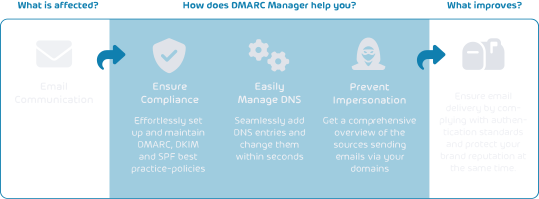
An SPF incident will often reveal a much wider governance issue in that nobody has a complete picture of who’s sending email on behalf of the organization. Hornetsecurity DMARC Manager helps teams to identify sending sources, review their SPF/DKIM/DMARC status and alignment configurations and support the roll-out of domain authentication policies. That in turn makes it far easier to spot preventable configuration drift before it results in a customer bounce.
Request a demo today and see how DMARC Manager safeguards your domains against email impersonation, phishing, and spoofing with intuitive management:
For IT pros and M365 admins, the benefit is ongoing visibility rather than yet another one-off DNS check. It doesn’t get around Microsoft filtering or fix a Microsoft-side delivery incident. It can, however, provide you with better evidence around your own domain and a much cleaner basis from which to troubleshoot. For more background on this, see Hornetsecurity’s guides to DMARC requirements for Microsoft and how DMARC works.

Improve Email Authentication and Deliverability with Hornetsecurity DMARC Manager
An SPF error is a lot easier to debug if you know precisely which services are sending on your domain’s behalf and how those messages are authenticated. Hornetsecurity DMARC Manager will help you track sending sources, investigate alignment trends, and manage your DMARC policies with greater confidence. You’ll have improved visibility and be able to reduce the number of avoidable misconfigurations (all the while leaving the Microsoft side of things to be dealt with on the Microsoft side).
Schedule a demo of Hornetsecurity DMARC Manager to see how clearer authentication reporting can support your email security and deliverability workflows.
Conclusion: Fix the Cause, Then Keep Authentication Under Control
When Hotmail is rejecting emails, don’t go and change every TXT record in one go. Look at the NDR, work out who the actual outbound sender is, check SPF, check DKIM, check DMARC alignment, test each route, and only then escalate if the evidence is there to support it. That’s the safest way to deal with a Microsoft Outlook SPF validation error without necessarily losing your domain protection.
FAQ
Why is Outlook rejecting my emails?
A Microsoft Outlook SPF validation error such as 550 5.7.23 will generally be an SPF evaluation issue. The full NDR, the sending IP, the envelope domain, and the authentication alignment will tell you the actual diagnosis. Check those before you do anything.
Can SPF be correct and outlook.com still reject my messages?
Yes. A different route could have been considered (SPF could have passed without DMARC alignment, DKIM could have failed, the receiving system could have applied a different policy). Look at the evidence for the specific rejected attempt.
Can a missing DMARC record cause a rejection?
It can contribute under the auth requirements (especially for the high-volume consumer senders under Microsoft’s 2025 policy). The simple fact of no DMARC, however, does not in itself tell you why a particular 550 5.7.23 would have occurred.
Why are emails to Hotmail bouncing back when Gmail accepts them?
Receivers can apply different rules, and the delivery path may be different for each receiver. If you’re escalating, please let Microsoft know whether the failures are specific to Hotmail/outlook.com/live.com; if so, please provide the message IDs, timestamps, and full NDRs.